Mount Sinai Brand Center.
Improving the product discovery process
Overview
The Mount Sinai Health System is a hospital network in New York City, with approximately 40,000 employees. Their brand center serves this employee base, additionally providing access to external entities. This project was an opportunity to modernise and address multiple usability issues with the existing platform. As lead UX Designer I was able to directly influence the user experience and ensure a business and user focused redesign.
Role
Product (UX) Designer
Highlights
Increased engagement and increase in successful download of brand assets
Problem
The Brand Center is an online resource for brand-related, marketing and communication. These resources are for use by any Health System employee and external stakeholders working with Mount Sinai.
The existing platform was functional, but users faced pain-points, particularly in terms of effective data discovery and clarity in terms of how assets should be utilised effectively to conform to brand guidelines.
Solution
Leading the UX design it was my responsibility to work with the client and understand user pain-points, redesigning the information architecture to make navigation based discovery easier while also placing greater emphasis on a powerful, improved search feature.
Working with a UI designer I then produced wireframes, contributed to UI design and created a clickable prototype to aid presentation and development of the proposed solution.
Requirements Gathering & User Journey Design
User research had been previously carried out by an external agency and was available for review alongside access to key stakeholders with their own unique requirements. Key was understanding the key use cases and for the existing system and areas it was not efficient or in some cases not at all usable for the end user.
Metrics for key search terms and the most popular taxonomy were also available from the existing platform to form some assumptions about which content should be prioritised.
With all this information available high level customer journeys were formed based on the behaviour of key user types in order to highlight the key journeys needed, particularly in terms of highlighted routes thought the landing page.
For this project greater effort was spent on information architecture, defining an effective navigation system and testing terminology and taxonomy with the end user through card sorting.
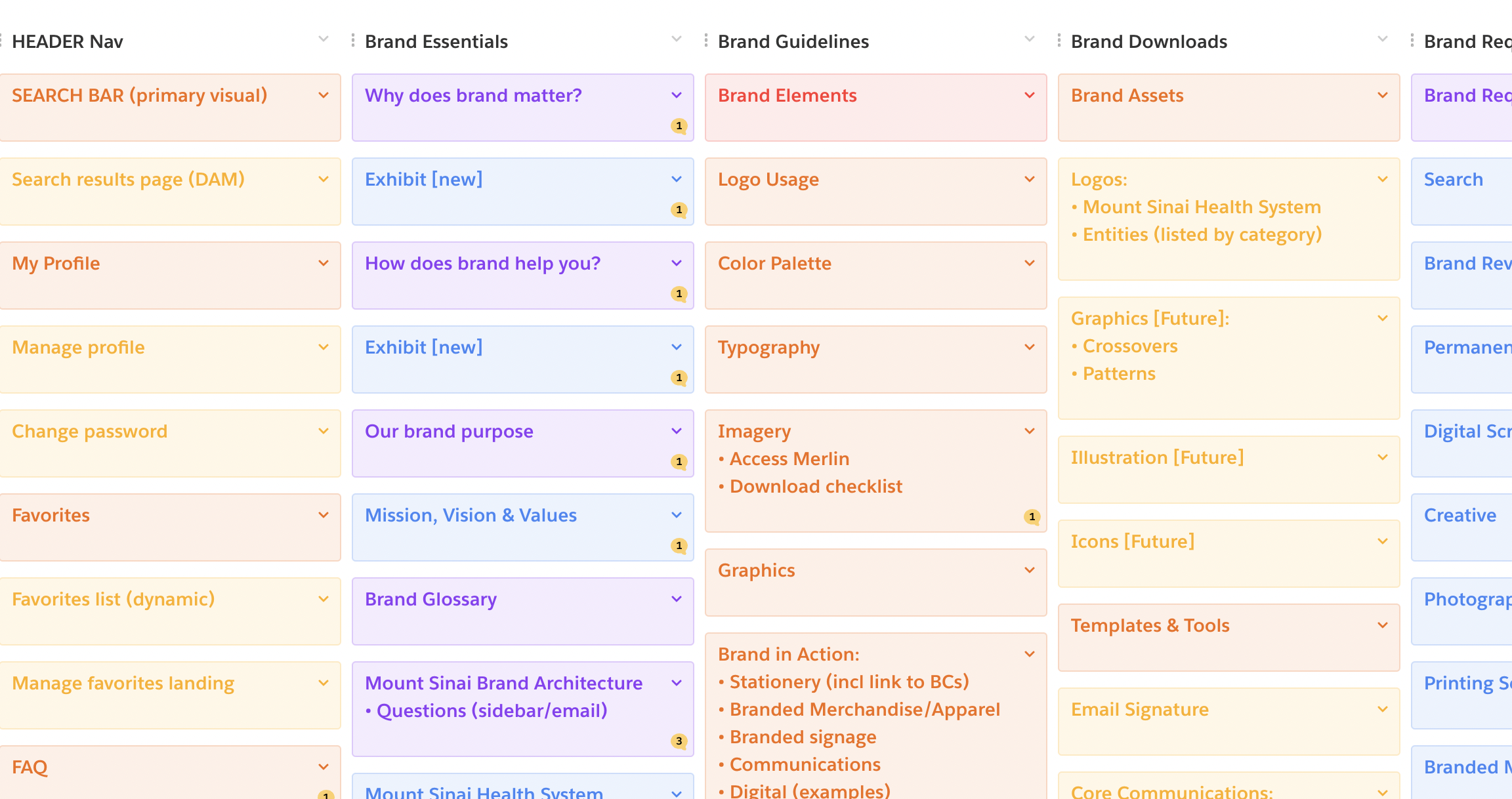
I utilised Trello to organise content requirements
Wireframes & UI Design
Skeleton wireframes were created for rapid prototyping of ideas at an early level with the project group meeting bi-weekly to discuss and brainstorm. I led presentation across multiple stakeholders and was able to manage the scope and direction of the solution advocating consistency and the best practice UX route throughout, while also being respectful of the unique requirements of stakeholders.
I worked with a world class UI designer who worked directly with the client to take a branding brief and produce an early design system. I was able to use this design system as a template to form the key templates and gain initial approval before prototyping.
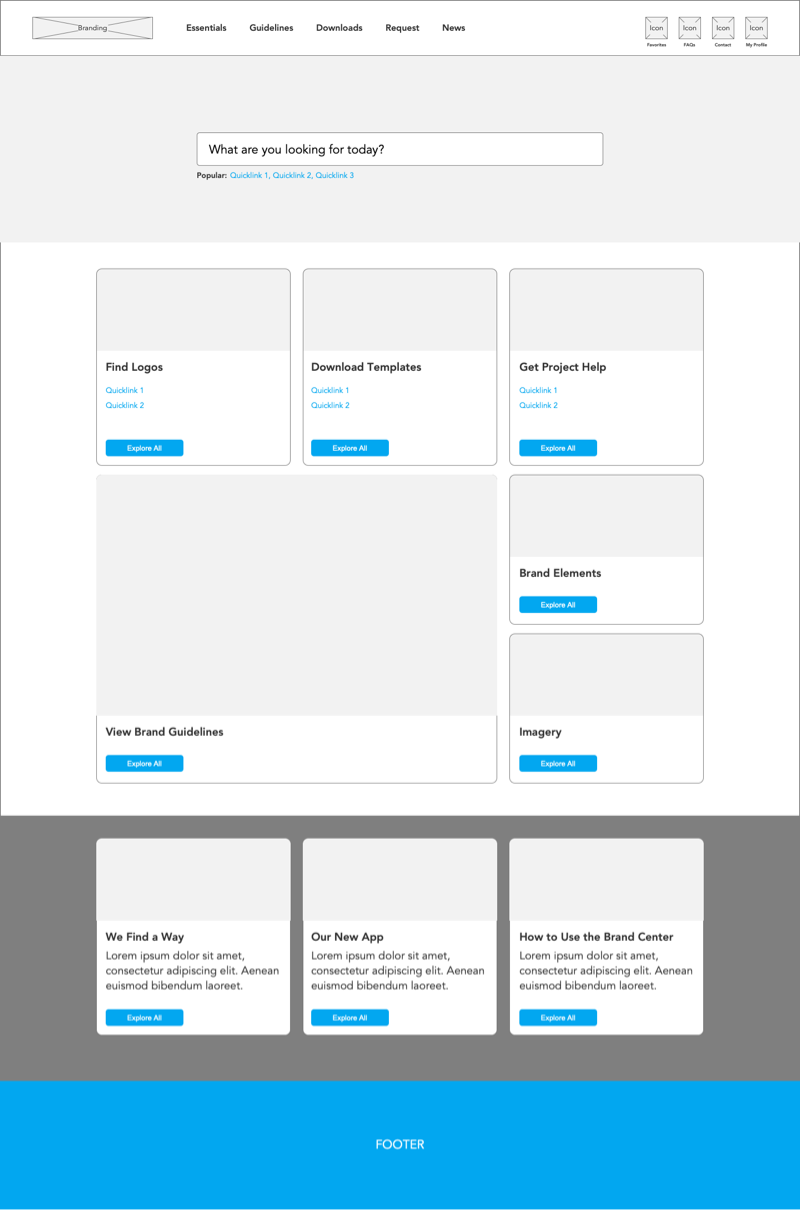
Lo-fi wireframes proceeded a more hi fidelity Figma prototype
Prototyping
I created a prototype in Figma from the completed UI design to fulfil multiple purposes.
- To facilitate the presentation of the proposed design and flow internally to senior stakeholders
- To allow user testing with existing brand center users
- To provide a blueprint for implementation for the development team
For an easy progression from UI to prototype this was facilitated in Figma, despite some of the drawbacks of prototyping with Figma over the more powerful tools such as Axure.
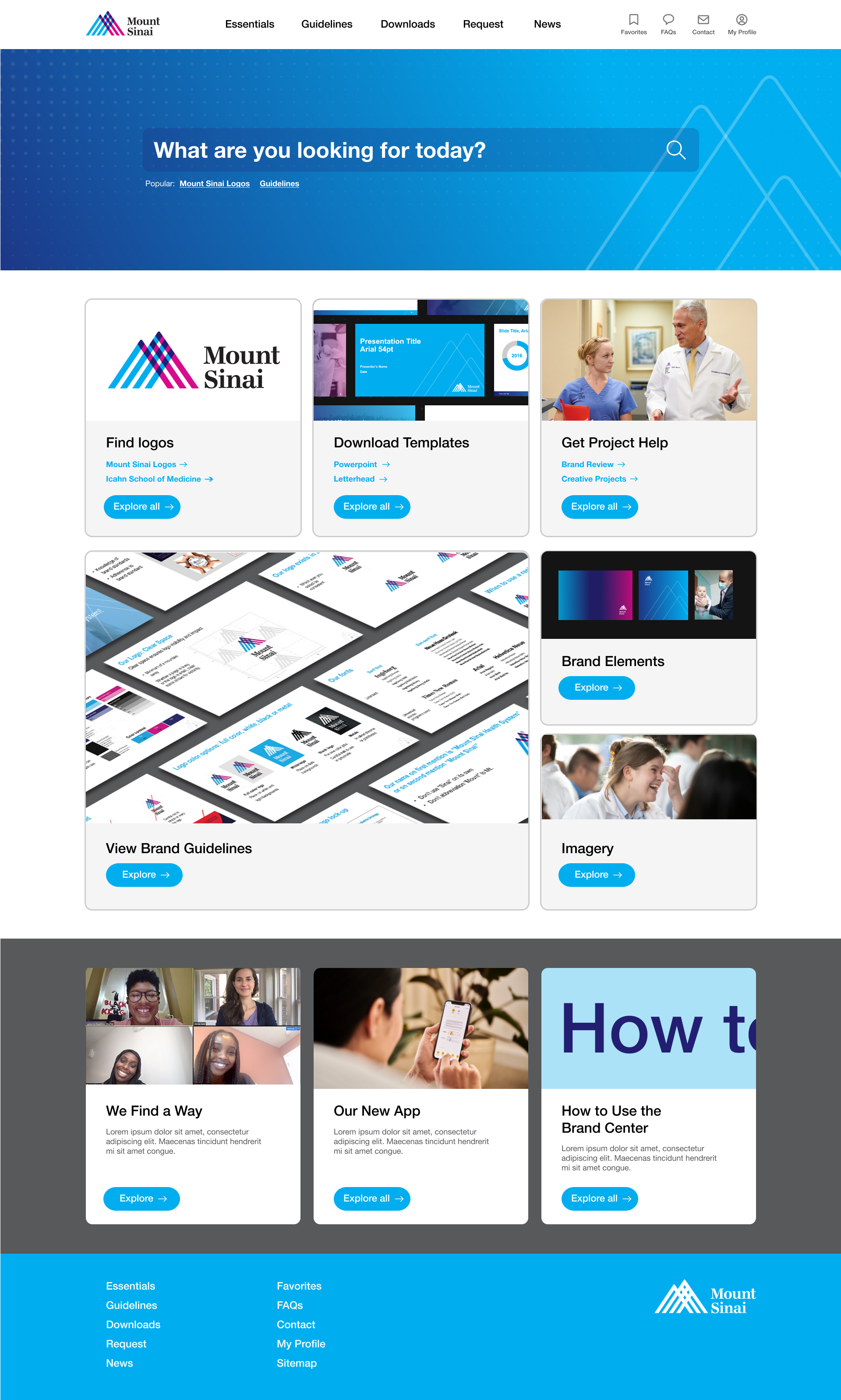
The more hi-resolution designs were built into a Figma prototype for demonstration and testing
Inspiration for future projects
I try to reflect on the positives and negatives of each project and build this into future engagements to ensure continuous improvement. Here are some areas I'll be looking to improve in the future.
01
Assessing the best tools for stakeholder presentation. The client was clear early in the project that stakeholders would likely respond better to a working prototype than flat designs, so this was actually a project success. But providing stakeholders with examples of how deliverables might look and what they are for will become one of my kick-off meeting go-tos.
02
Encouraging further user research. Obviously preference would be carry out user research rather than relying on external research carried out earlier, purely because for all the documentation provided, there is no substitute for being directly involved. I push for further research/testing at prototype level but this time around time was tight and user testing was limited. I will look to be clearer at the start of projects in future as to the importance of leaving sufficient time for testing.